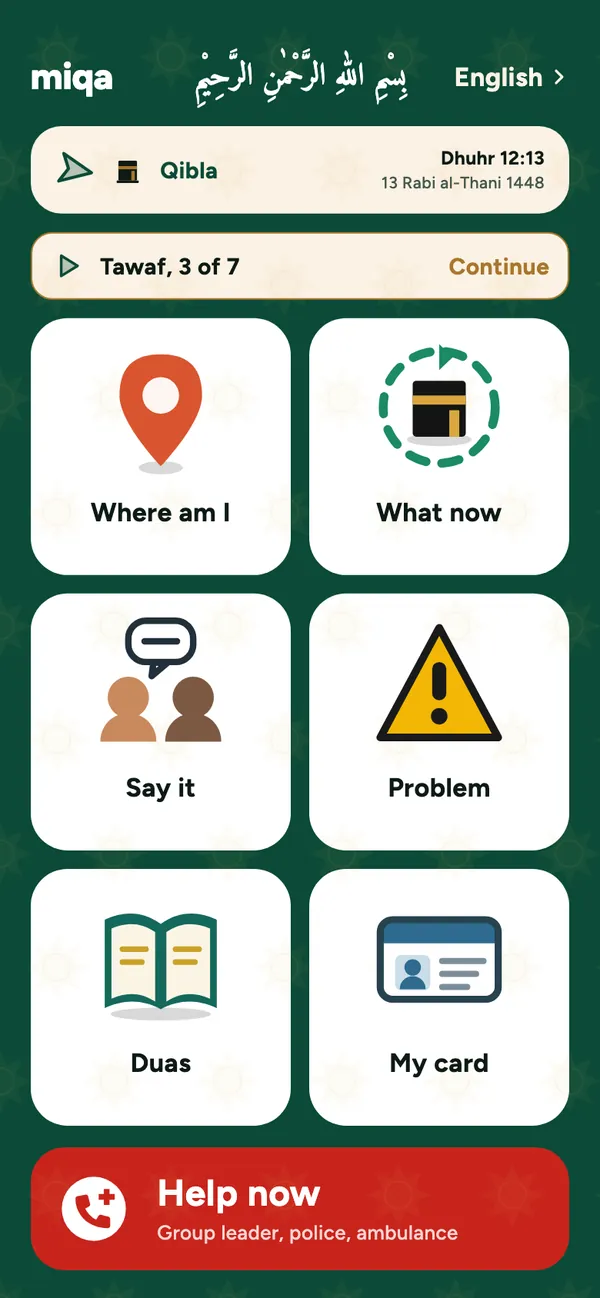
Works with no signal. Nothing leaves your phone.
The Android app does not ask for permission to use the internet at all. So it cannot send your details anywhere, and it keeps working when your data runs out inside a building.
- No account, no sign in
- Prayer times, Qibla and the Hijri date are worked out on the phone
- Your card and your family's details stay on this phone
If you get lost
For the moment you look up and your group is gone.
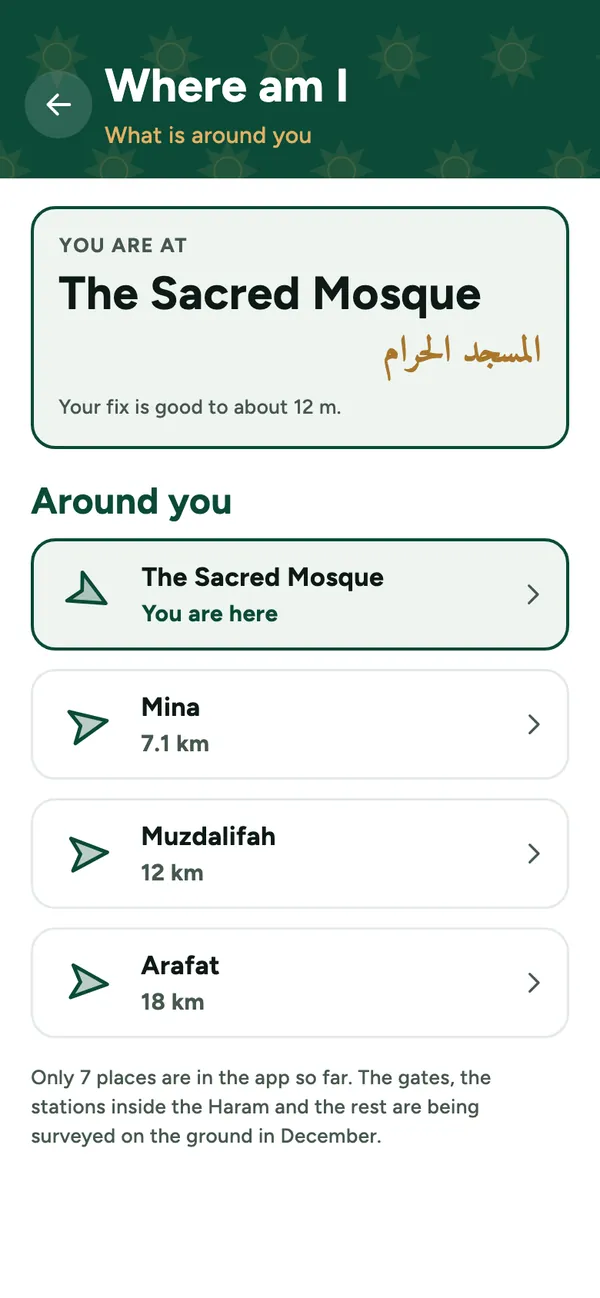
Where am I
Shows what is around you, nearest first, with how far and which way. When it is not sure where you are, it says so instead of guessing.
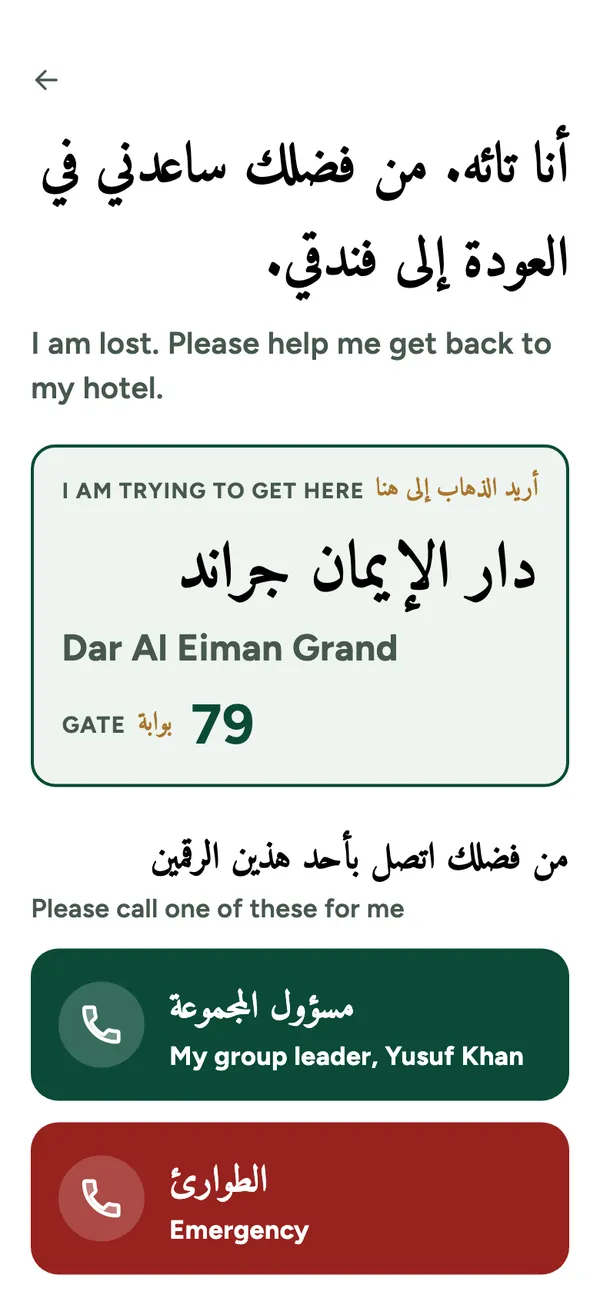
Show this to someone
A page in large Arabic that explains you are lost and asks for help, with buttons to call your group leader or emergency services. It needs no signal and no permission.
Walk me back
An arrow and a distance to your hotel, from a spot you saved. It is not a route, and the screen says so.
Getting back to your hotel
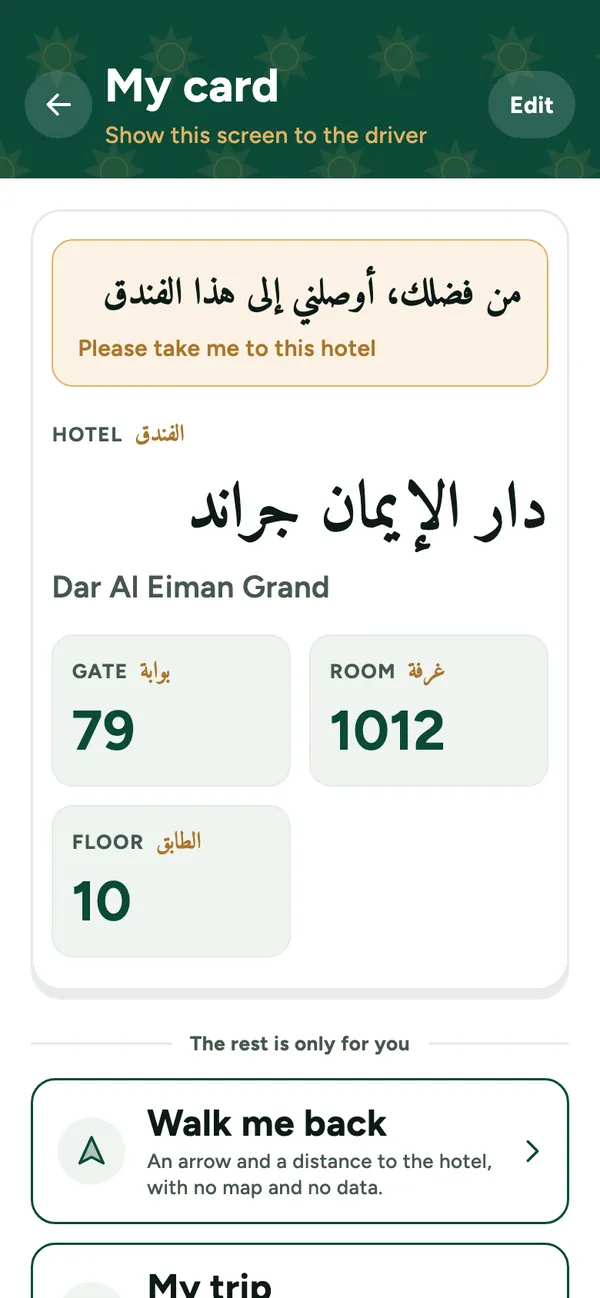
A card for the taxi driver, big enough to read through a car window.
My card
Your hotel's name in Arabic, with the gate, room and floor, in large type. You can add a photo of the hotel's own card too.
My trip
Agency, booking, flights, and consulate numbers for your passport country. Private, and never shown to a driver.
When you need help
The right number, one tap away.
Help now
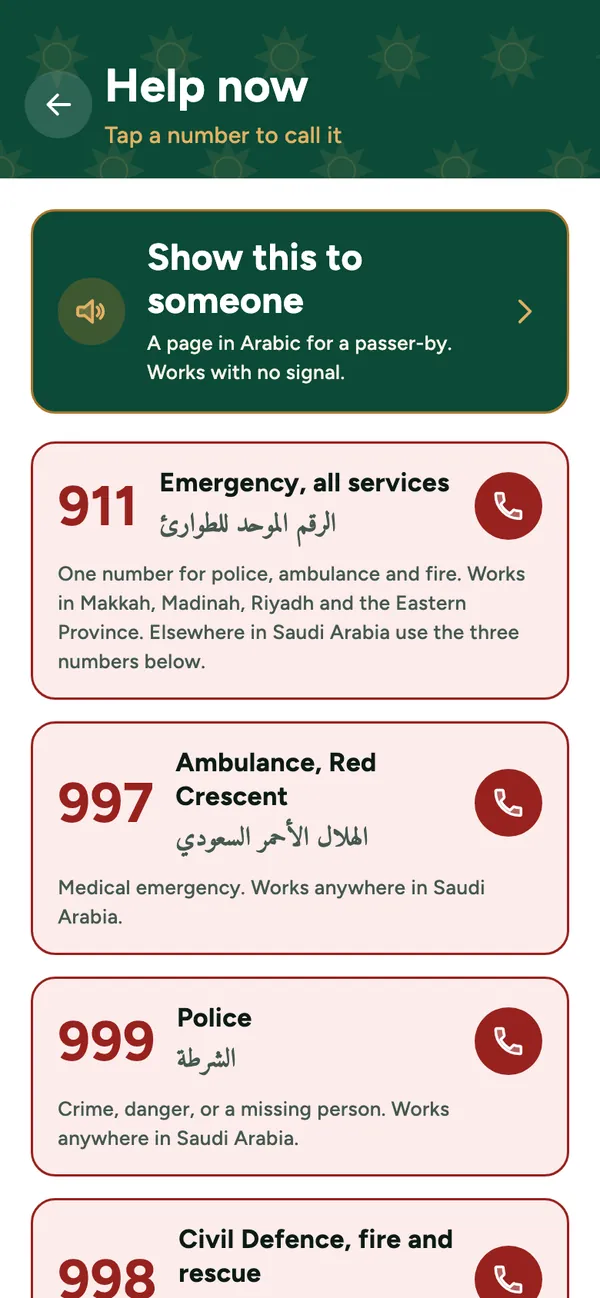
Saudi emergency numbers, one tap each: 911, 997 for an ambulance, 999 for the police, 998 for civil defence, and 1966 for pilgrim care. Your group leader's number sits at the top.
Problem
Pick what happened: you lost your group, lost count, feel sick, or something was stolen. It takes you to the screen or number that helps.
I think I broke a rule
miqa will not tell you whether your Umrah counts. It points you to your group leader and the guidance offices at the Haram, because that is a question for a person who knows.
Family ID
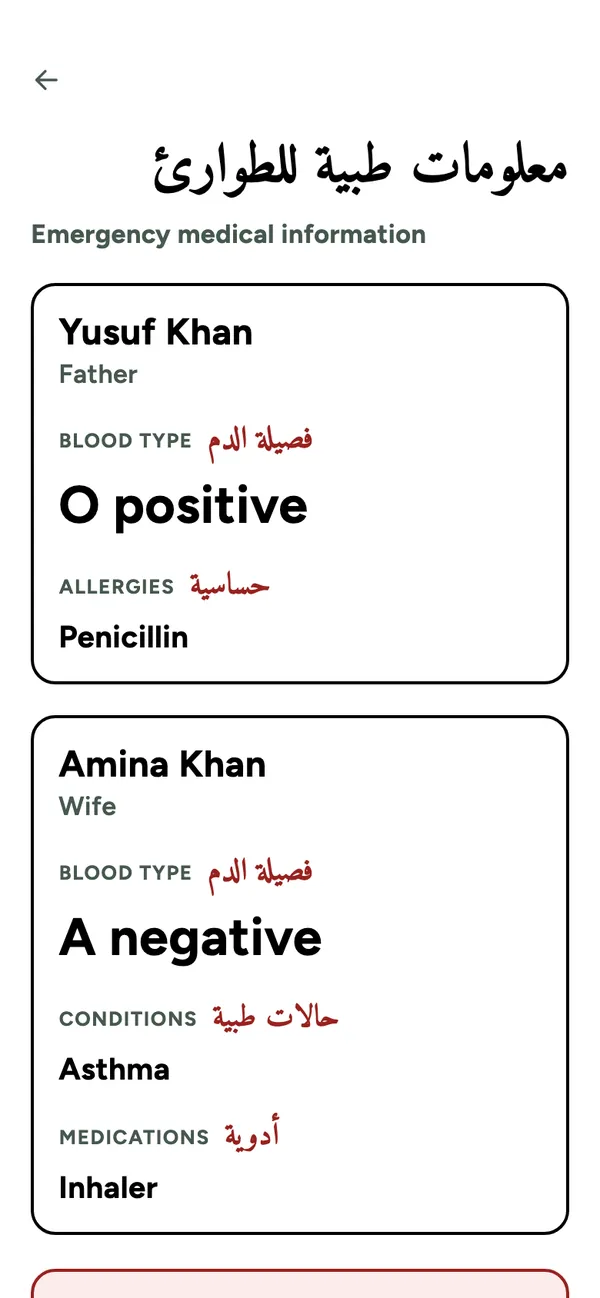
Blood type, allergies, medicines and an emergency contact, with Arabic labels for a paramedic. Passport and insurance numbers are never shown on that screen.
Say it in Arabic
Short phrases for a doctor, a driver or a stranger.
Say it
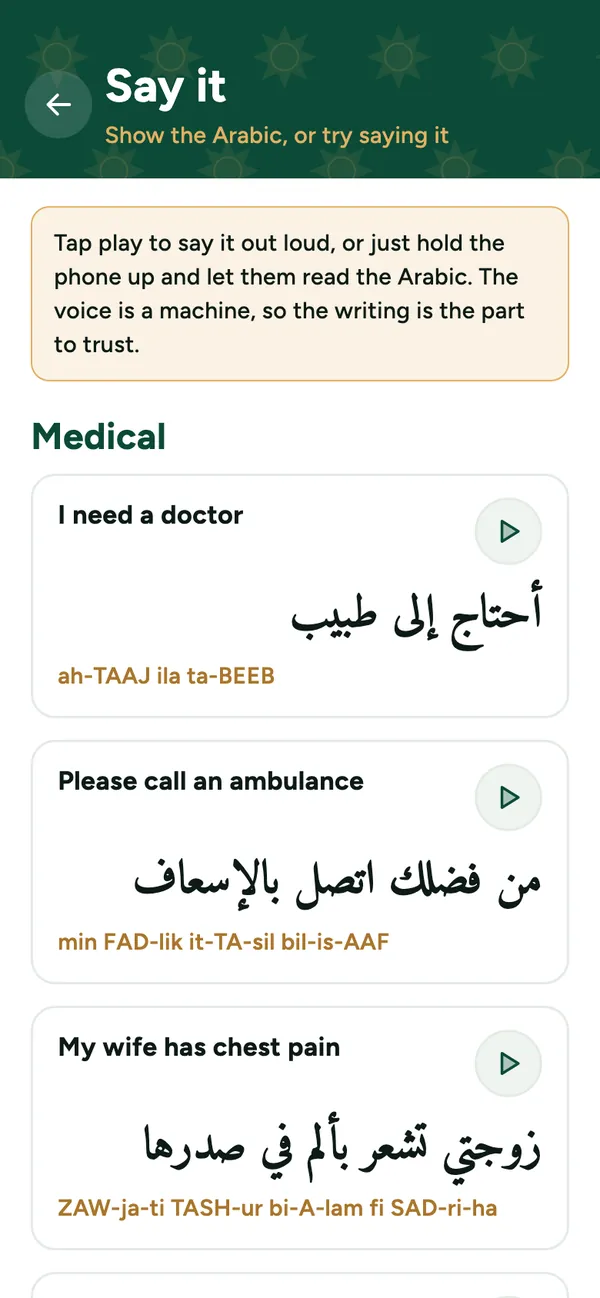
Twelve short phrases in large Arabic, ready to hold up, each with an easy way to say it. Tap play to hear it spoken. The voice is made by a computer, so the written Arabic is the part to trust.
During your Umrah
One step at a time.
What now
Umrah step by step, from ihram at the miqat to cutting the hair. It remembers where you stopped.
Circuit counter
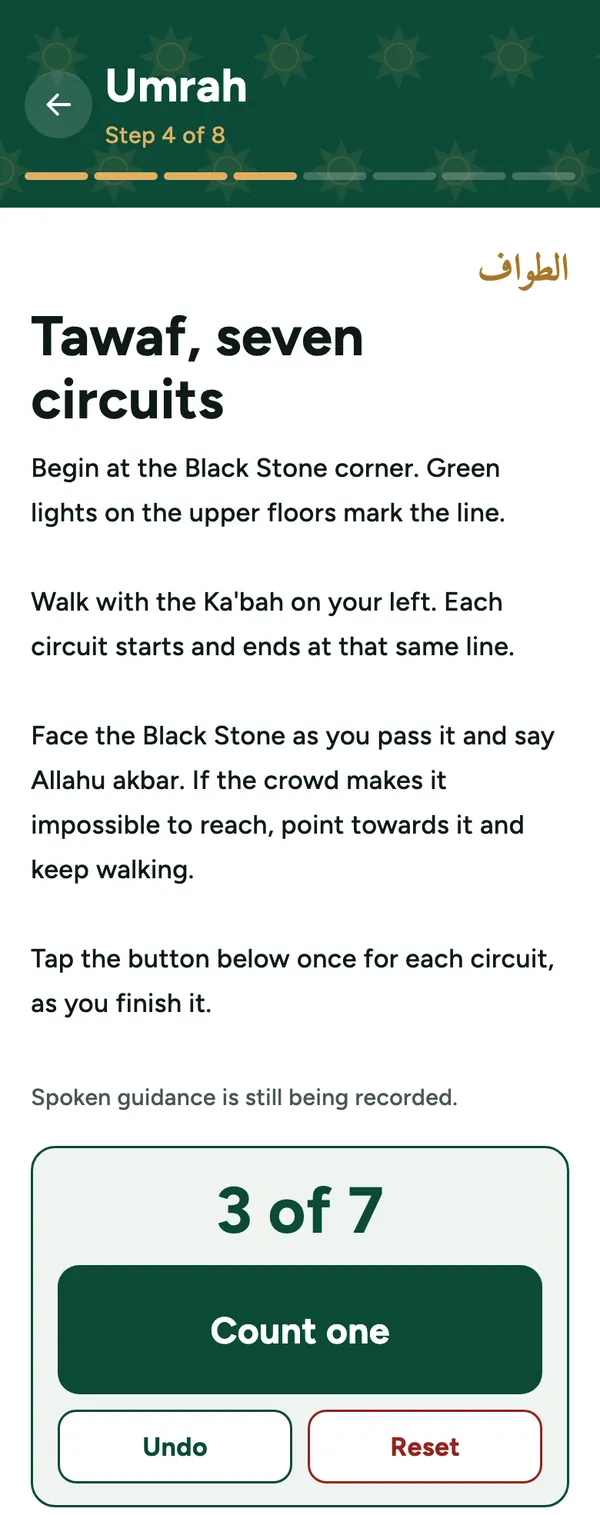
Count your tawaf and sa'i circuits with one tap. Or keep the phone in your pocket and press a volume button twice for each circuit. A single press counts nothing.
Duas
Supplications for each moment of the journey, with a plain guide to saying them and their meaning in English.
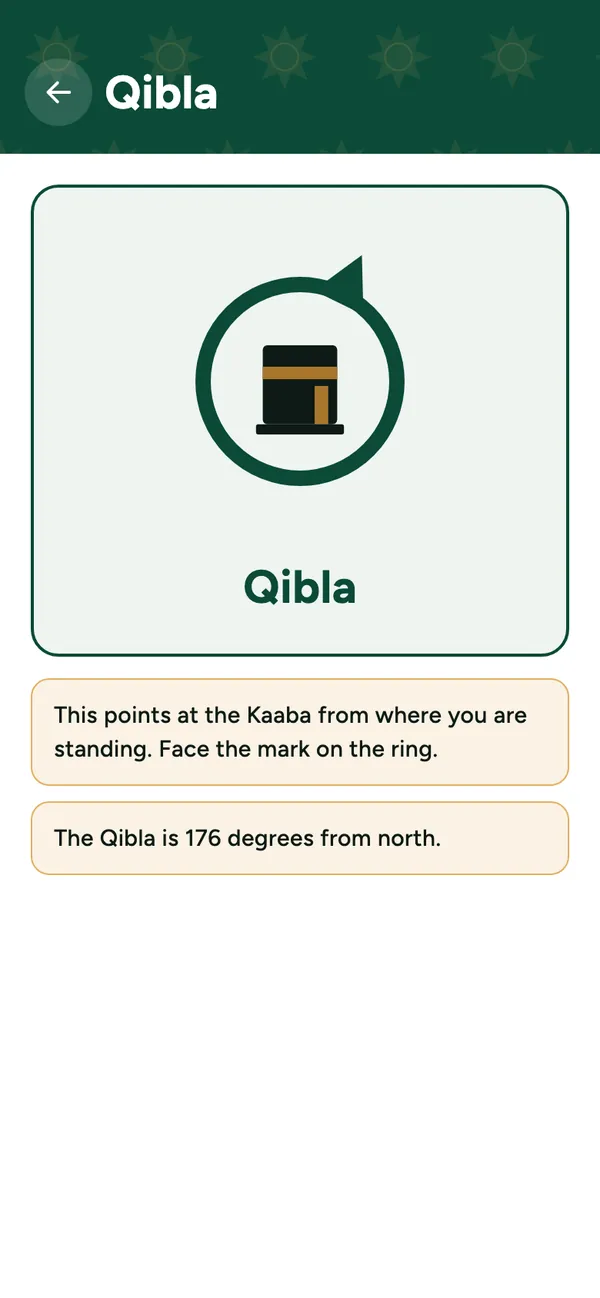
Qibla
An arrow with the Kaaba, and the direction in degrees from north. If the compass cannot be trusted, the arrow goes and the screen tells you why.
Prayer times and Hijri date
The next prayer by the Umm al-Qura method, and the Hijri date, both worked out on the phone. A calculated date can be a day apart from the local announcement.
The step-by-step guide covers Umrah. Hajj rites are not in the app yet.
For tired eyes and full hands
- Big buttons, each with a picture you can recognise, not only a word.
- Help now stays in the same place, at the bottom of the home screen.
- Make the text bigger on your phone and the app's text grows with it.
- Strong contrast, for reading in the midday sun.
Where it stands
- miqa is not on Google Play yet. It is coming to Android first.
- It works in English and Urdu. Indonesian, Bengali, Arabic and Turkish are planned.
- There is no iPhone version yet.